
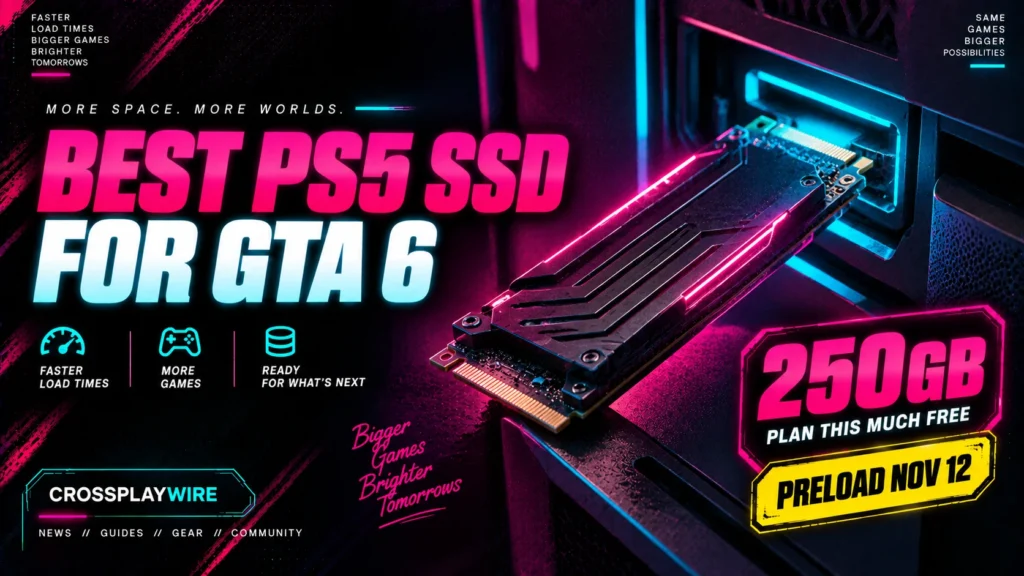
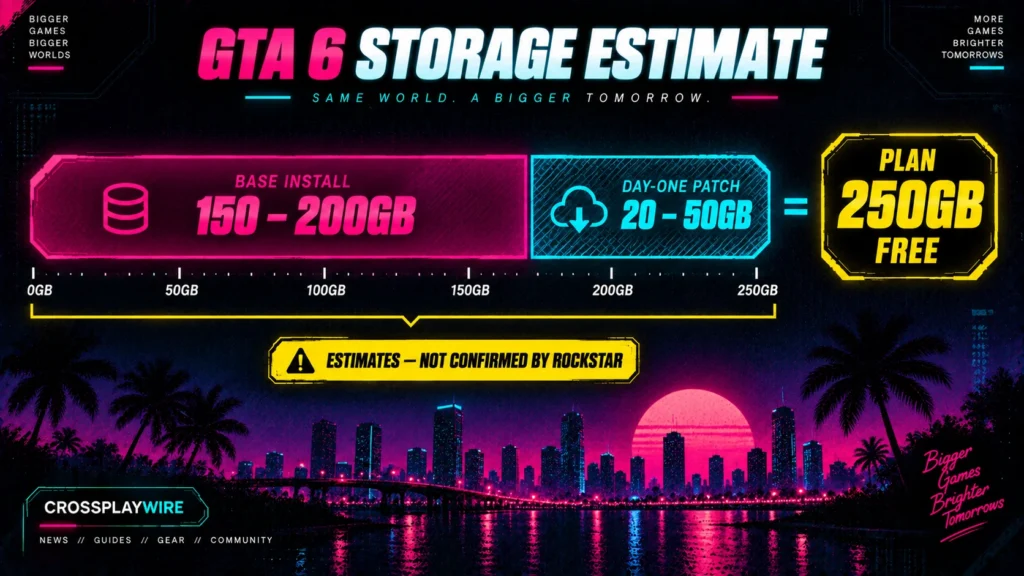
The best PS5 SSD for GTA 6 is a 1TB PCIe Gen4 M.2 NVMe drive with a heatsink, such as the Samsung 990 Pro or WD_BLACK SN850X. Rockstar hasn’t published GTA 6’s file size, but press estimates put it at 150–200GB, plus a possible 20–50GB day-one patch. Plan for 250GB free.
Set it up before preload, which is reported to open November 12, one week before launch.
How Big Is GTA 6?
No official GTA 6 file size exists yet. Neither Rockstar nor the PlayStation or Xbox stores list one as of September 19.
| Figure | Status |
|---|---|
| Base install | 150–200GB (press estimate, not confirmed) |
| Day-one patch | 20–50GB (press estimate) |
| Safe free space | 250GB (planning buffer) |
| GTA 5 on current consoles | Over 100GB after years of updates |
| Preload opens | November 12, 2026 (reported) |
Every copy is a full download. The boxed version is a code in a box with no disc, so physical buyers need the same free space as digital buyers. Storefront listings usually show the real size once the preload build is locked. We’ll update this table when that happens.
Do You Actually Need an SSD?
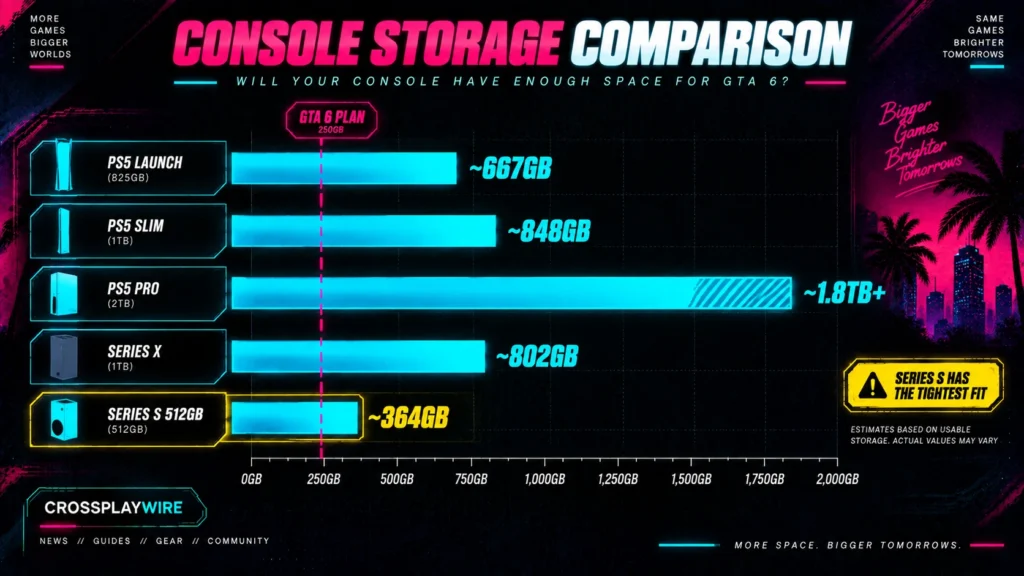
Check your usable space first. Consoles reserve part of the advertised storage for system files.
| Console | Advertised | Approx. usable | GTA 6 fit (250GB plan) |
|---|---|---|---|
| PS5 (launch model) | 825GB | ~667GB | Fits, but uses over a third |
| PS5 Slim | 1TB | ~848GB | Fits comfortably |
| PS5 Pro | 2TB | ~1.8TB+ | No SSD needed |
| Xbox Series X | 1TB | ~802GB | Fits comfortably |
| Xbox Series S (512GB) | 512GB | ~364GB | Fits, but leaves little else |
If you have 250GB free after deleting games you aren’t playing, you don’t need to buy anything. The SSD is for players who want GTA 6 plus a real library installed at the same time.
PS5 SSD Requirements
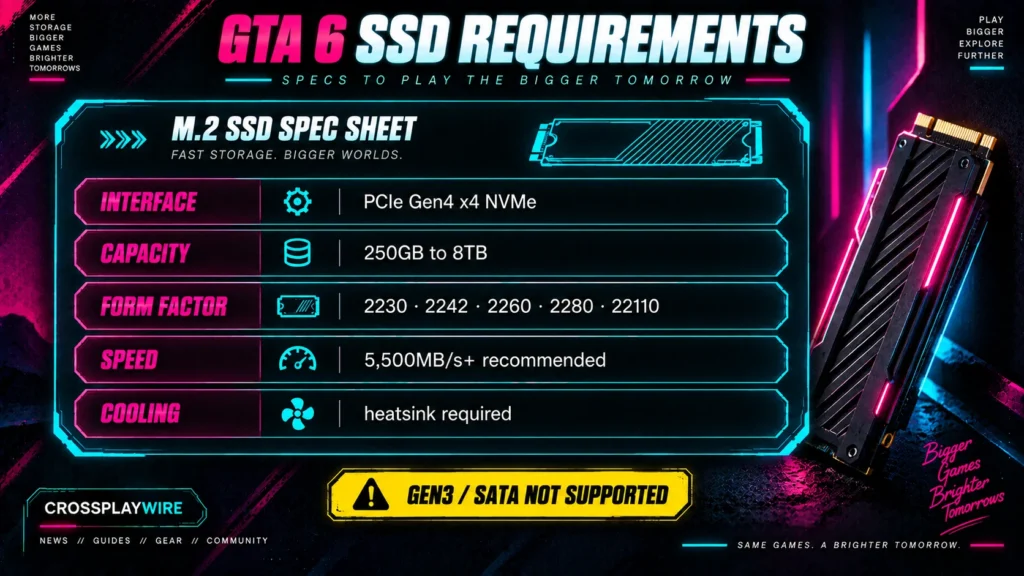
Every PS5 model (launch, Slim, and Pro) has one internal M.2 expansion slot. Sony’s requirements:
- Interface: PCIe Gen4 x4 M.2 NVMe. Gen3 drives aren’t supported.
- Capacity: 250GB to 8TB
- Form factor: M.2 type 2230, 2242, 2260, 2280, or 22110
- Speed: 5,500MB/s sequential read or faster recommended
- Cooling: a heatsink or cooling structure is required. Buy a drive with one pre-fitted, or add a low-profile heatsink that fits the slot’s height limit.
Update your PS5 system software before installing.
Best PS5 SSDs for GTA 6
| Drive | Why | Pick it if |
|---|---|---|
| Samsung 990 Pro (heatsink version) | Top-tier Gen4 speed, proven PS5 compatibility | You want the safe default |
| WD_BLACK SN850X (heatsink version) | Matches the 990 Pro, often cheaper | You want the same class for less |
| WD_BLACK SN850P | Officially licensed for PS5, heatsink shaped for the slot | You want zero fit questions |
| Crucial T500 (heatsink version) | Strong speed for the price | You’re budget-conscious |
All four exceed Sony’s 5,500MB/s recommendation. In practice, GTA 6 load times will be almost identical across them, so buy on price and heatsink availability.
Rest of Your Launch Setup
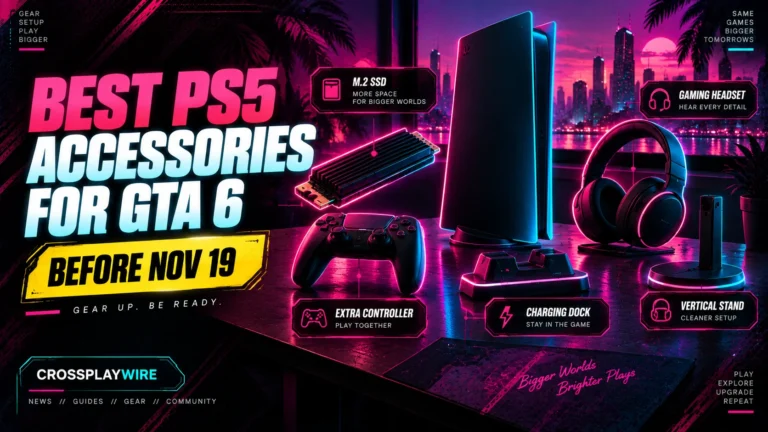
Storage sorted? Here’s the rest of what’s worth buying before November 19, and what to skip. Best PS5 Accessories for GTA 6
1TB or 2TB?
1TB is right for most players. It holds GTA 6 plus three or four other large games.
Go 2TB if you keep annual shooters installed alongside GTA 6. Those can take 150GB+ each. PS5 Pro owners already have 2TB built in and can skip this decision entirely.
How to Install a PS5 SSD
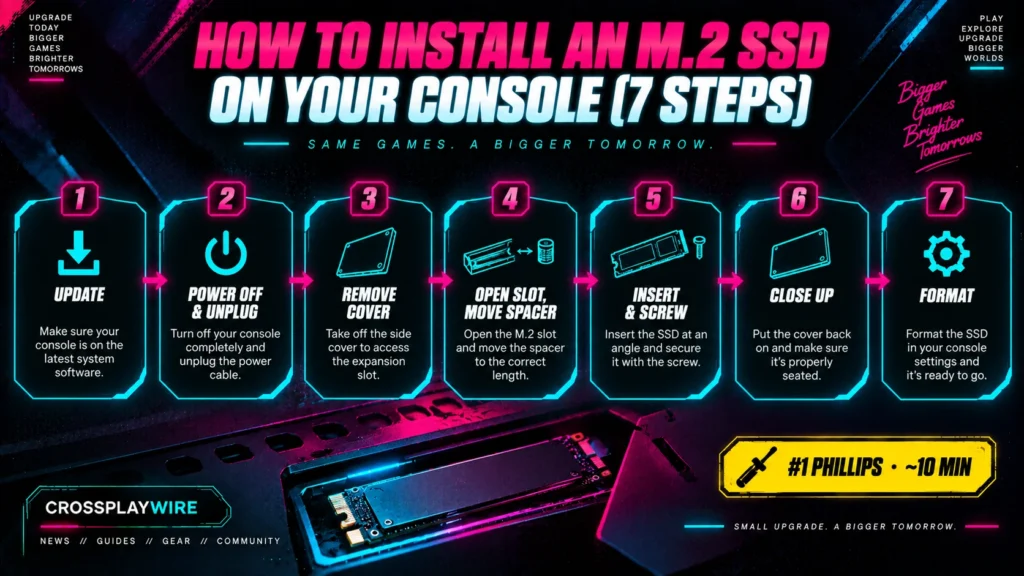
You need a #1 Phillips screwdriver and about ten minutes.
- Update the PS5 system software, then power off fully (not Rest Mode) and unplug.
- Remove the cover. On the launch PS5, lift off the side panel. On the Slim and Pro, remove the top cover as described in Sony’s guide for your model.
- Unscrew the M.2 slot cover, then remove the screw and spacer inside.
- Move the spacer to match your drive’s length.
- Insert the SSD at an angle, press it flat, and secure it with the screw.
- Replace the slot cover and console cover, reconnect, and power on.
- Accept the format prompt. The drive then appears under Settings › Storage.
Once it’s formatted, set the M.2 drive as the install location for new games before preloading GTA 6.
PS5 SSD Not Showing Up? Fixes
If the PS5 doesn’t detect the drive:
- Confirm it’s Gen4 NVMe. Gen3 and SATA M.2 drives won’t work.
- Reseat the drive. It must be fully inserted before screwing down. A drive at a slight angle is the most common cause.
- Check the spacer position. A misplaced spacer can stop the drive from seating.
- Update the system software. Older firmware can miss newer drives.
- Check the heatsink height. A tall heatsink can stop the cover from closing and put pressure on the drive.
If it still isn’t detected, test the drive in a PC or another PS5 to rule out a faulty unit before returning it.
Xbox Series X|S: Expansion Cards
Xbox doesn’t use M.2 drives. It uses proprietary Storage Expansion Cards (made by Seagate and WD) that plug into the back of the console. As on PS5, Xbox Series games can be stored on a USB drive but not played from it. Series S owners are the most likely to need extra space for GTA 6. Our console comparison covers why.
Frequently Asked Questions
How many GB is GTA 6?
Not confirmed. Press estimates put the base install at 150–200GB, with a possible 20–50GB day-one patch. Plan for 250GB free.
Do I need an SSD for GTA 6 on PS5?
Only if you can’t free 250GB. A launch PS5 has about 667GB usable, so deleting unused games is often enough.
What SSD is compatible with PS5?
A PCIe Gen4 M.2 NVMe drive, 250GB–8TB, with a heatsink, ideally 5,500MB/s or faster.
When can I preload GTA 6?
Preload is reported to open November 12, 2026, one week before the November 19 launch.
Can I play GTA 6 from an external USB drive?
No. PS5 and Xbox Series games can be stored on USB drives but must run from internal or expansion storage.